Linarc allows you to duplicate existing markup elements on a plan sheet, speeding up the process of creating similar annotations and measurements.
- Quickly reproduce notes or measurement markups in multiple areas without starting from scratch.
- Ensure uniform dimensional precision by copying elements instead of redrawing them manually.
- Easily reposition, resize, and edit the appearance of the cloned elements to suit their new locations.
To copy and reuse markups
- Ensure the correct plan sheet is open and the markup you want to replicate is visible. (See View Markups if you need help loading existing markups.)
- Select the markup element by clicking it directly on the drawing or by clicking its label in the left-hand layer editor.
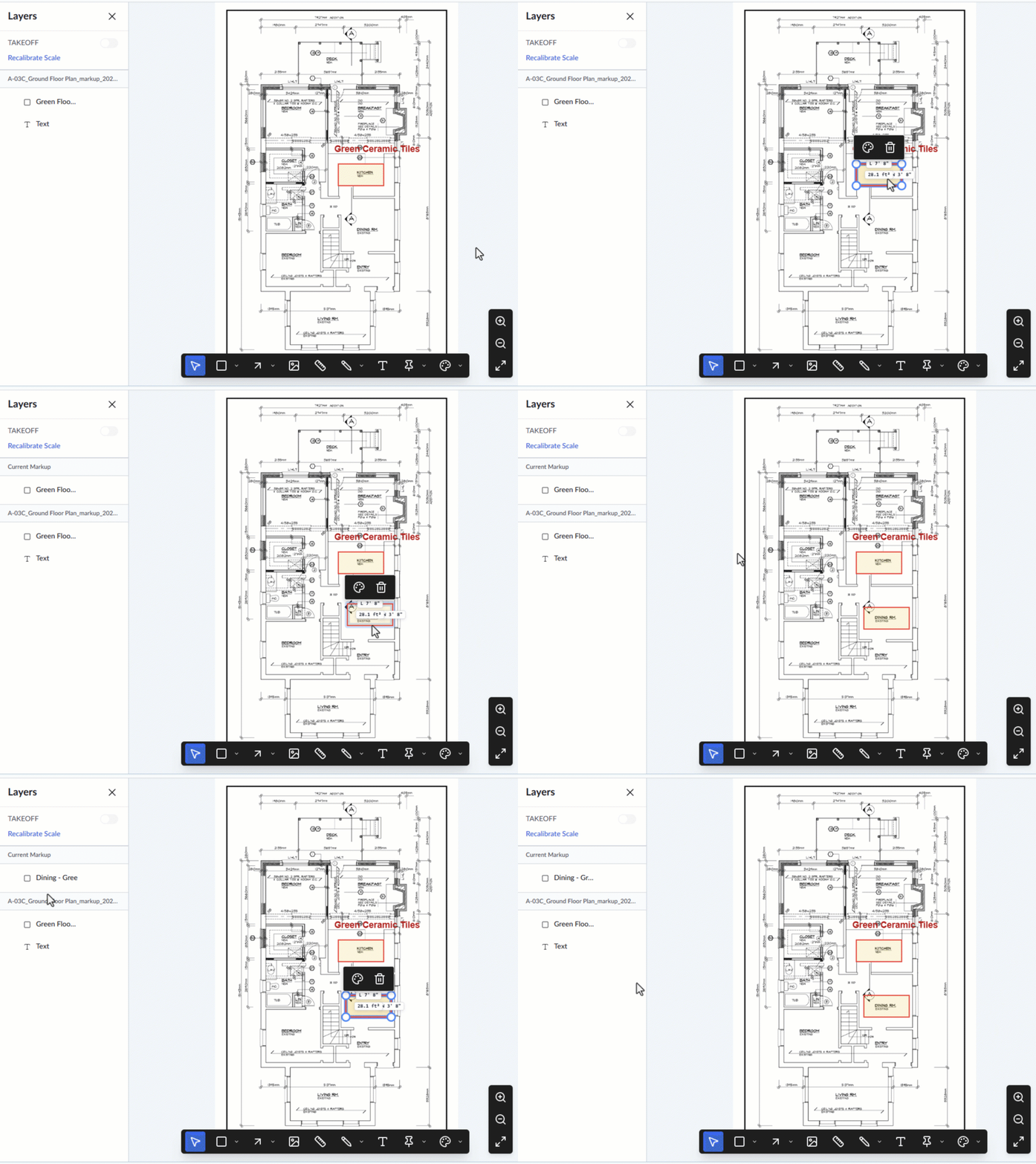
- Press Ctrl + C (Windows) or Cmd + C (Mac) to copy the element.
- Press Ctrl + V (Windows) or Cmd + V (Mac) to paste it. A clone of the markup will appear directly on top of the original element.
Once you have pasted the clone, you can easily adapt it for its new location:
- Relocate: Click and drag the cloned element to your desired spot on the plan.
- Resize: Click and drag the handles at the corners of the element to adjust its size.
- Restyle: Select the element and use the color palette that appears above the element to modify its appearance.
- Rename: Click the element's label in the layer editor and give it a brief, descriptive name to keep your layers organized.
You can continue using the toolbar to add or modify other markup elements as needed. Once you are finished annotating the plan, you must save the layer group to make your changes permanent. See Publish Markups for detailed instructions.
Was this article helpful?
That’s Great!
Thank you for your feedback
Sorry! We couldn't be helpful
Thank you for your feedback
Feedback sent
We appreciate your effort and will try to fix the article