Drafted payment applications can be deleted from Linarc at any time before submission. When a pay app requires major corrections, this feature gives you the flexibility to wipe the slate clean and ensure your billing data is perfectly accurate before sending it off.
Delete a draft to easily fix mistakes like missed work items, accidentally added entries, or incorrect progress percentages.
Keep in mind that deleting a draft will automatically remove any subsequent Pay Apps, allowing you to start completely afresh.
To delete a pay app
Ensure you are on the Pay App screen. If not
- Click the app launcher icon
 in the top-right, then select 'Finance'
 - Click 'Progress Billing' on the top and select 'Pay App' on the left
The screen shows the list of Pay Apps generated so far, with the unsubmitted Pay Apps in 'Created' state:
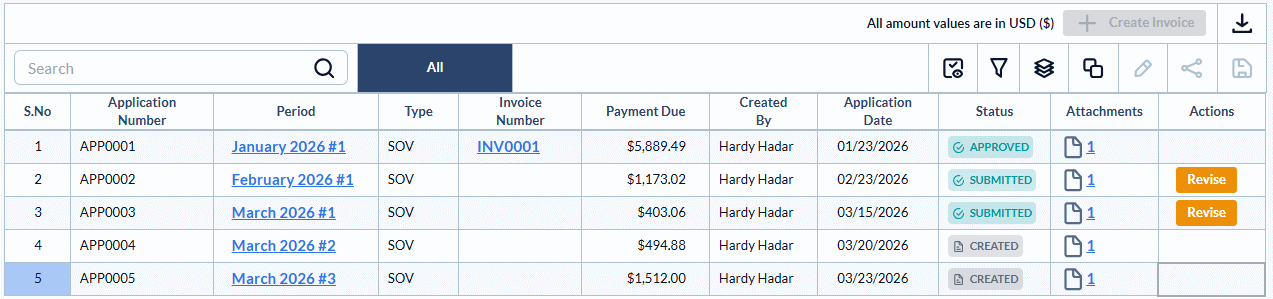
- Open the Pay App to be removed, by clicking its period:
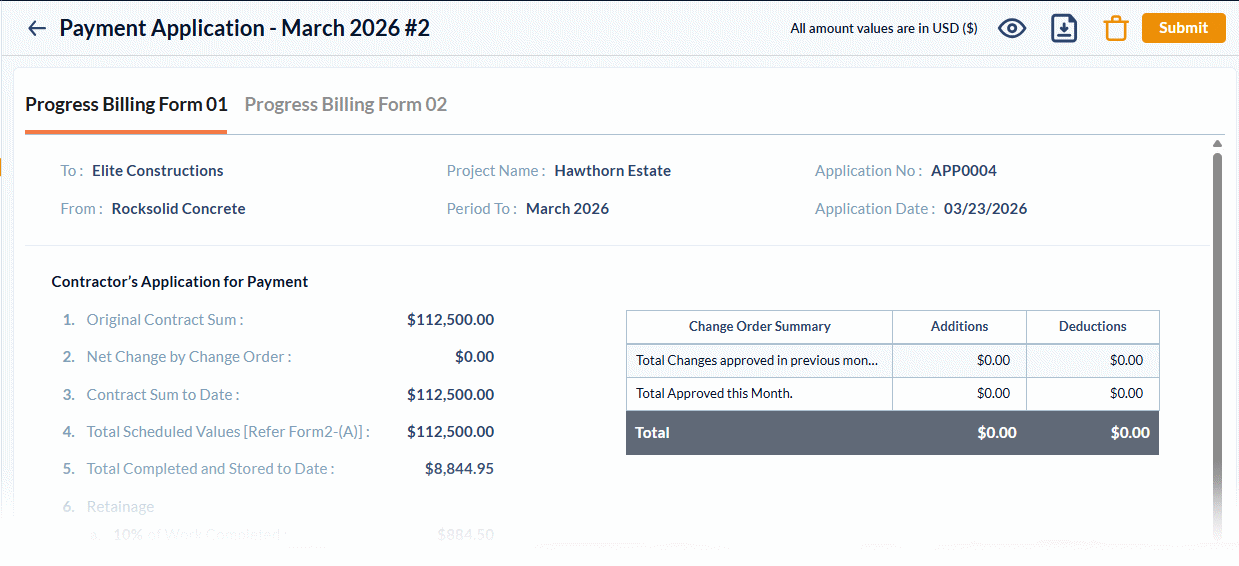
Click the  icon at the top-right
Please Note: The delete function is only available for draft and unsubmitted Pay Apps (those in the 'created' status). Submitted Pay Apps are locked by the system and cannot be removed.
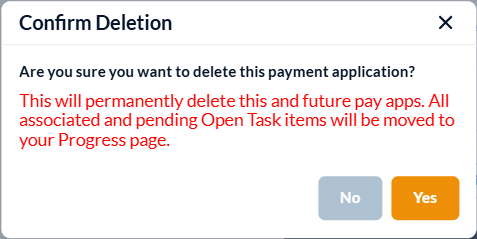
Important Warning: Deleting a pay app has a cascading effect. If you proceed, all subsequent pay apps created after this one will also be permanently removed from the system, allowing you to start the pay apps generation afresh.
- Click 'Yes' to confirm.
Was this article helpful?
That’s Great!
Thank you for your feedback
Sorry! We couldn't be helpful
Thank you for your feedback
Feedback sent
We appreciate your effort and will try to fix the article