The 'Field Tasks' module shows the list of all field tasks scheduled for the project and executed by your company. You can select the tasks that you want to carry out for the next few days, set their timelines, assign resources and track them to completion.
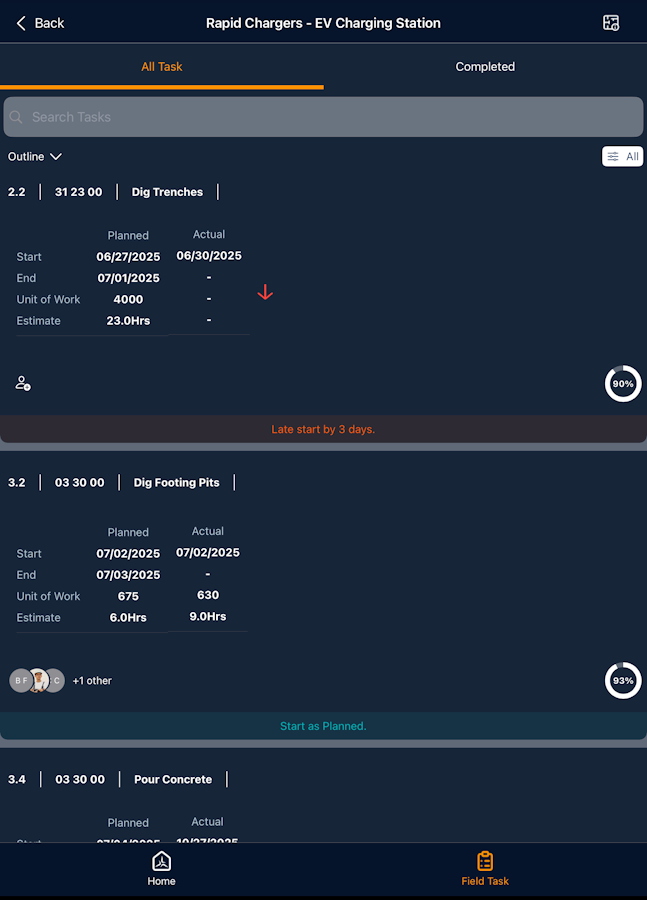
The interface has two tabs:
- All Tasks- Shows all tasks in the project's field schedule as assigned by the project manager and the tasks that are taken for execution.
- Completed - Shows the tasks finished to 100 percent.
See the following pages to learn more:
Was this article helpful?
That’s Great!
Thank you for your feedback
Sorry! We couldn't be helpful
Thank you for your feedback
Feedback sent
We appreciate your effort and will try to fix the article