Company Administrators can disconnect the QuickBooks Online (QBO) integration from Linarc at any time. This function is useful if you need to perform extensive accounting maintenance, migrate to a new QBO account, or temporarily pause data synchronization. You can easily reconnect the integration whenever you are ready to resume.
- Data Preservation: Project data created in Linarc during the disconnected period, such as budgets, invoices, recurring costs, payroll, etc., remains safely stored in the platform.
- Sync Suspension: All automatic and manual synchronization between Linarc and QBO is paused while the integration is disconnected. A reminder banner will appear on the integration dashboard until the connection is restored.
- Post-reconnection Sync: Records created while the integration was disconnected are automatically synced if the 'Auto-Create' and 'Auto-Update' options were enabled during configuration. If these options are disabled, users must import the records into the staging platform and sync them manually.
Note:
- All previously configured integration settings are retained when disconnecting and reconnecting the QuickBooks Online account.
- You can review and update the existing configurations at any time before resuming synchronization.
Disconnect QBO
- Ensure that you are in the admin console
- Click 'Integrations' on the top of your admin console and select 'ERP' from the left menu
- Click 'Manage' in the 'QuickBooks Online' card
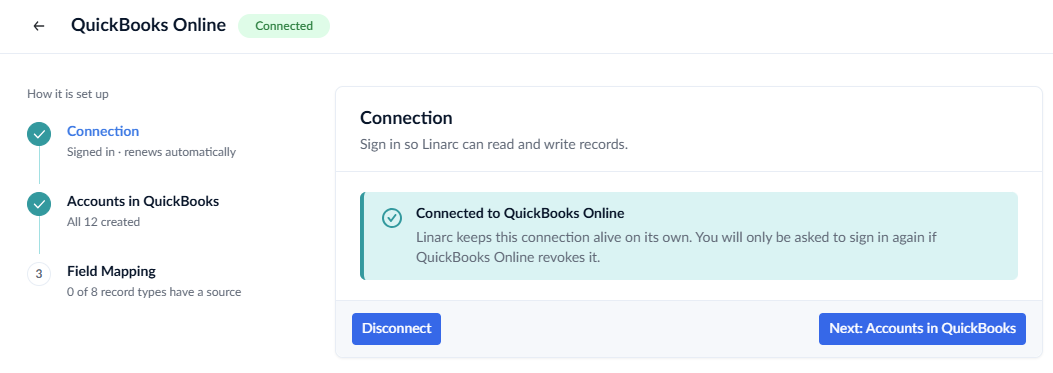
- Click 'Disconnect' in the 'QuickBooks Online'
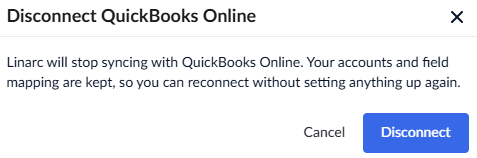
- Click the
 button to confirm your action
Reconnect QBO
Ensure that you are in the admin console
- Click 'Integrations' on the top of your admin console and select 'ERP' from the left menu
- Click 'Connect' in the 'QuickBooks Online' card
- Click 'Connect QuickBooks Online' button. You will be redirected to the 'Intuit' login page
- Sign in using your QuickBooks account credentials.
Upon successful authentication, your QuickBooks account will be reconnected with Linarc.
Was this article helpful?
That’s Great!
Thank you for your feedback
Sorry! We couldn't be helpful
Thank you for your feedback
Feedback sent
We appreciate your effort and will try to fix the article