Linarc’s project portfolio-level Toolbox Talks library empowers project and safety managers to efficiently manage a comprehensive repository of safety meeting topics. The library includes a curated, dynamically updated selection of OSHA-compliant topics provided by Linarc, along with the flexibility to add custom topics that reflect company-specific practices and policies.
- Each item in the Toolbox Talks library is structured with a clear title, relevant subject, and a reference link for easy access.
- Managers can also attach supporting materials, such as images, videos, or reference documents, to enrich the content.
- Additionally, the system enables managers to schedule Toolbox Talk meetings for these topics across the various projects they oversee.
To view the toolbox talks library
- Ensure that you are in the portfolio console. If not,
- Click the main menu at the top left and click 'Projects' under 'Portfolio'.
- Click 'Safety' on the top and select 'Toolbox Talks' on the left.
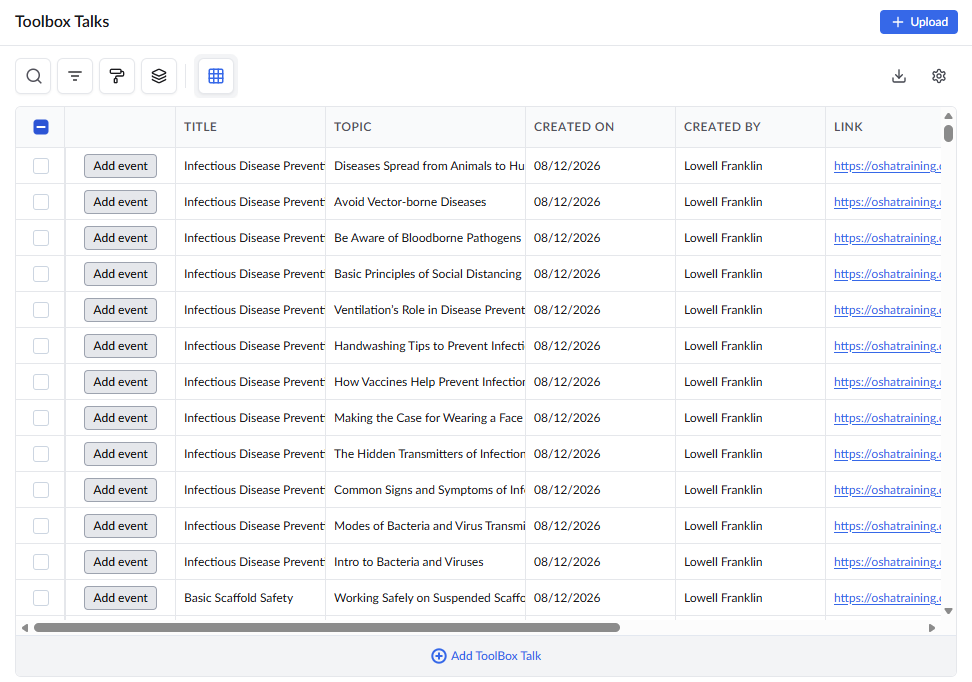 Standard columns:
- Title – A high-level summary or category representing the context of the Toolbox Talk.
- Topic – The specific subject or focus of the Toolbox Talk.
- Created On – The date on which the topic was added to the library.
- Created By – The user who added the topic to the library
- Links – Direct URLs to the primary content or any related resources relevant to the topic.
- Attachments - Allows you to add supporting materials such as images or PDFs to enhance the topic content.
Tip: The 'Add Event' button in the last column allows you to schedule a Toolbox Talk event for the selected topic within a specific project. For detailed instructions, refer to Add Toolbox Talk Event.
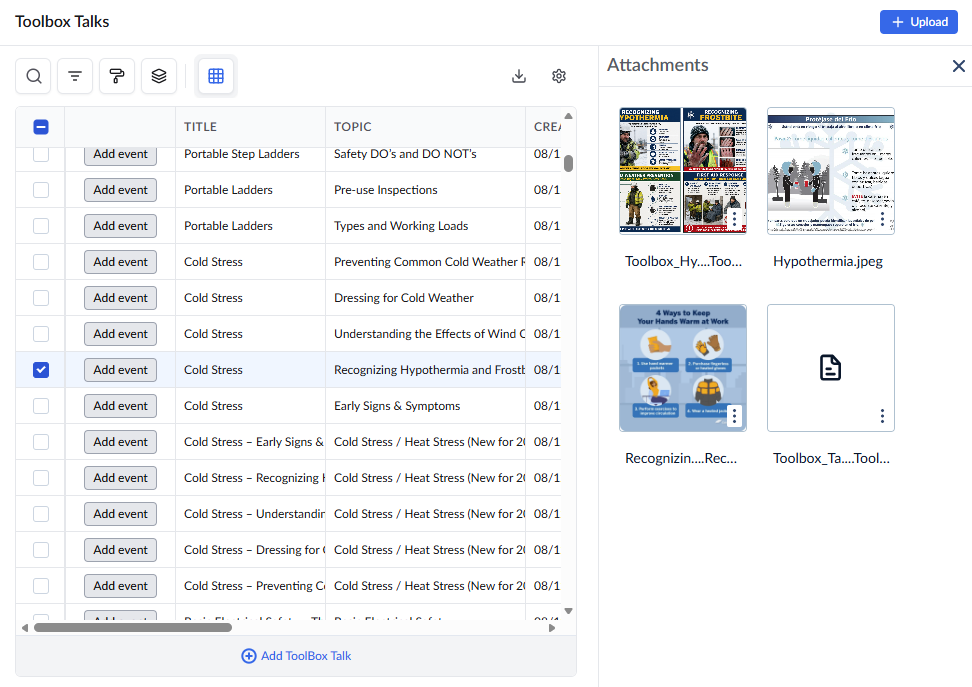 Select an item by clicking its serial number to view its attachments on the right pane
See also: Add Toolbox Talk Event
Search, Filter, and Sorting Options
- Click the magnifier icon and use the 'Search' box located at the top left to find an entry using any value from the table as search criteria
- Click any column header to sort the rows in ascending or descending order based on that column's data.
- Click the cog wheel icon at the top right to adjust the display density and customize the display and order of the columns. See Customize Columns in List Views.
- The options at the top left allow you to filter the entries, create nested groups of entries, highlight cells and manage personalized and customized views of the table. Use the links below to learn more:
Was this article helpful?
That’s Great!
Thank you for your feedback
Sorry! We couldn't be helpful
Thank you for your feedback
Feedback sent
We appreciate your effort and will try to fix the article