The Plans Module allows you to download local copies of original plan sheets in image formats. These clean exports exclude markups, providing a "source of truth" for external sharing and offline reference, ensuring your critical drawings remain portable and accessible outside the platform.
- Download original, markup-free plan sheets to share via email or your preferred communication channels.
- Easily attach drawings to external reports and documents to keep stakeholders informed without platform restrictions.
- Create a permanent record of plan iterations to maintain a historical archive for future audits and references.
You can download the plan sheets from both the Grid and List views.
Note:
- You can download upto 5 plan sheets at once
- All selected plan sheets will be downloaded in .zip file format to your device directly
To download plan sheets:
- Click the Main Menu icon at the top-left of your screen.
- Under the Documentation section, select 'Plan Sheets.'
- Choose 'Plan Sets' from the left-hand menu.
From Grid View:
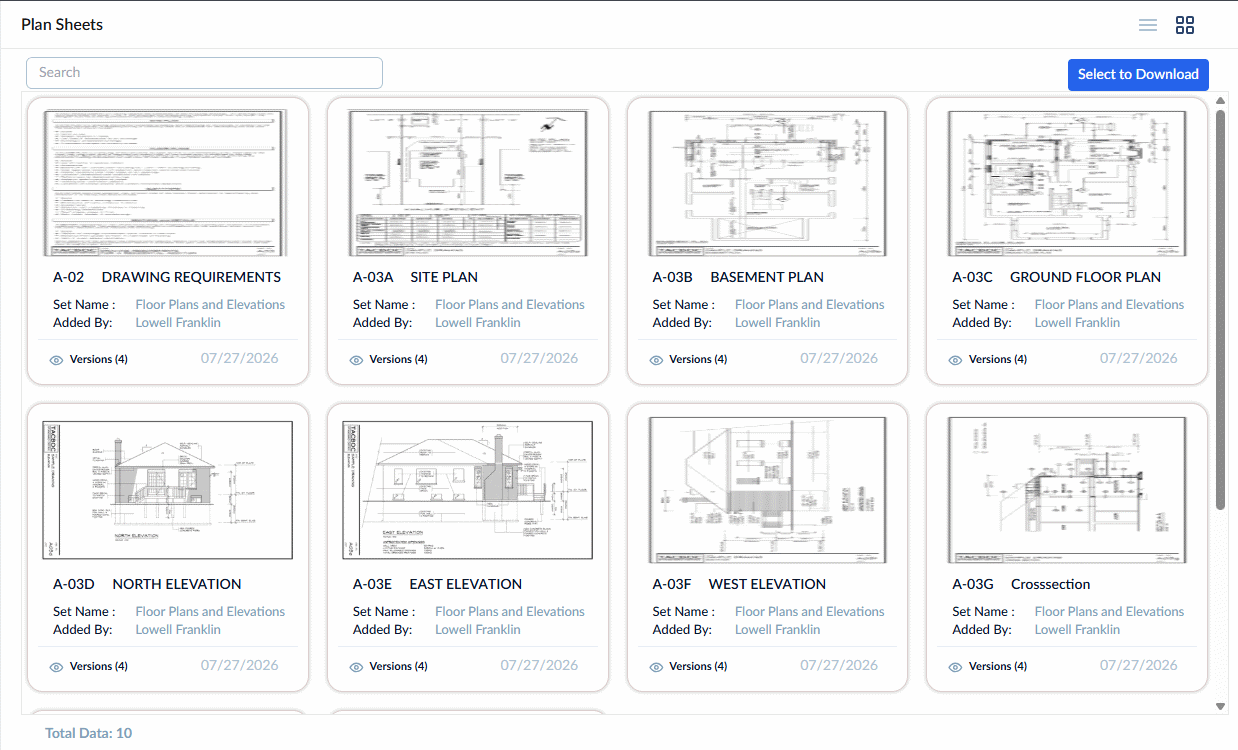
- Click the
 button on the top right
 - Click the check boxes at the top-left of the desired plansheets thumbnails
- Click the
 button on the top right to download the plan sheets
From List View:
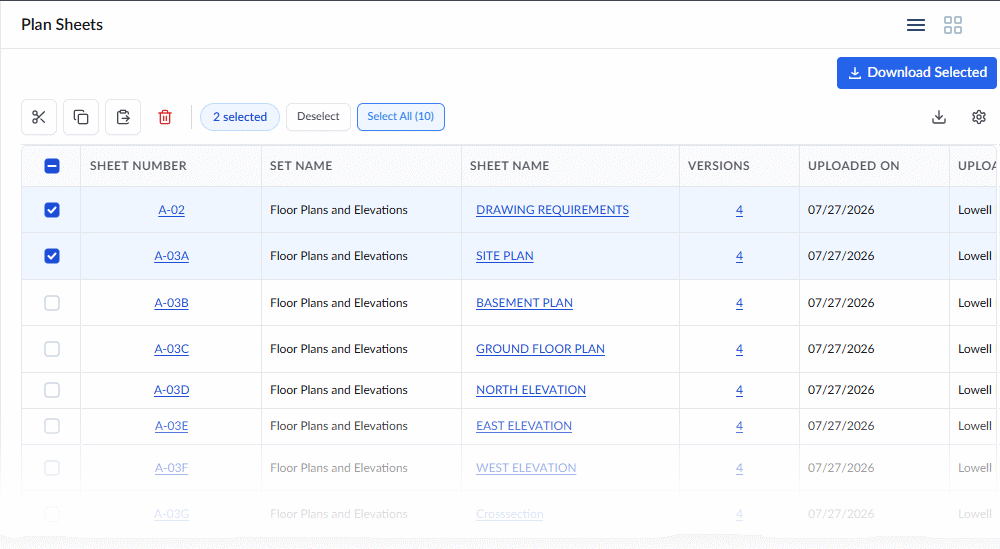
- Click the serial numbers of the plan sheets to select them
- Click the
 button on the top right to download the plan sheets
The selected sheets are downloaded as a zip file directly to your device.
Also read: You can also download plan sheets with the annotations made by you and your team members. See Download Plan Sheet Markups for more details.
Was this article helpful?
That’s Great!
Thank you for your feedback
Sorry! We couldn't be helpful
Thank you for your feedback
Feedback sent
We appreciate your effort and will try to fix the article