The Toolbox Talks module in the Linarc One app helps you manage scheduled safety meetings at the project level. Linarc includes a pre-loaded set of OSHA-compliant safety topics. Offsite managers can also provide additional custom safety topics tailored to unique project needs and internal safety procedures.
Project managers, safety managers, and foremen can view all toolbox talk events scheduled for their project.
Users with appropriate permissions can create ad hoc toolbox talk events when needed.
To view Toolbox Talk Events
- Open the Project's Toolbox Talks module
The home page of the Toolbox Talks module shows a board view of the events pertaining to the project in different stages. 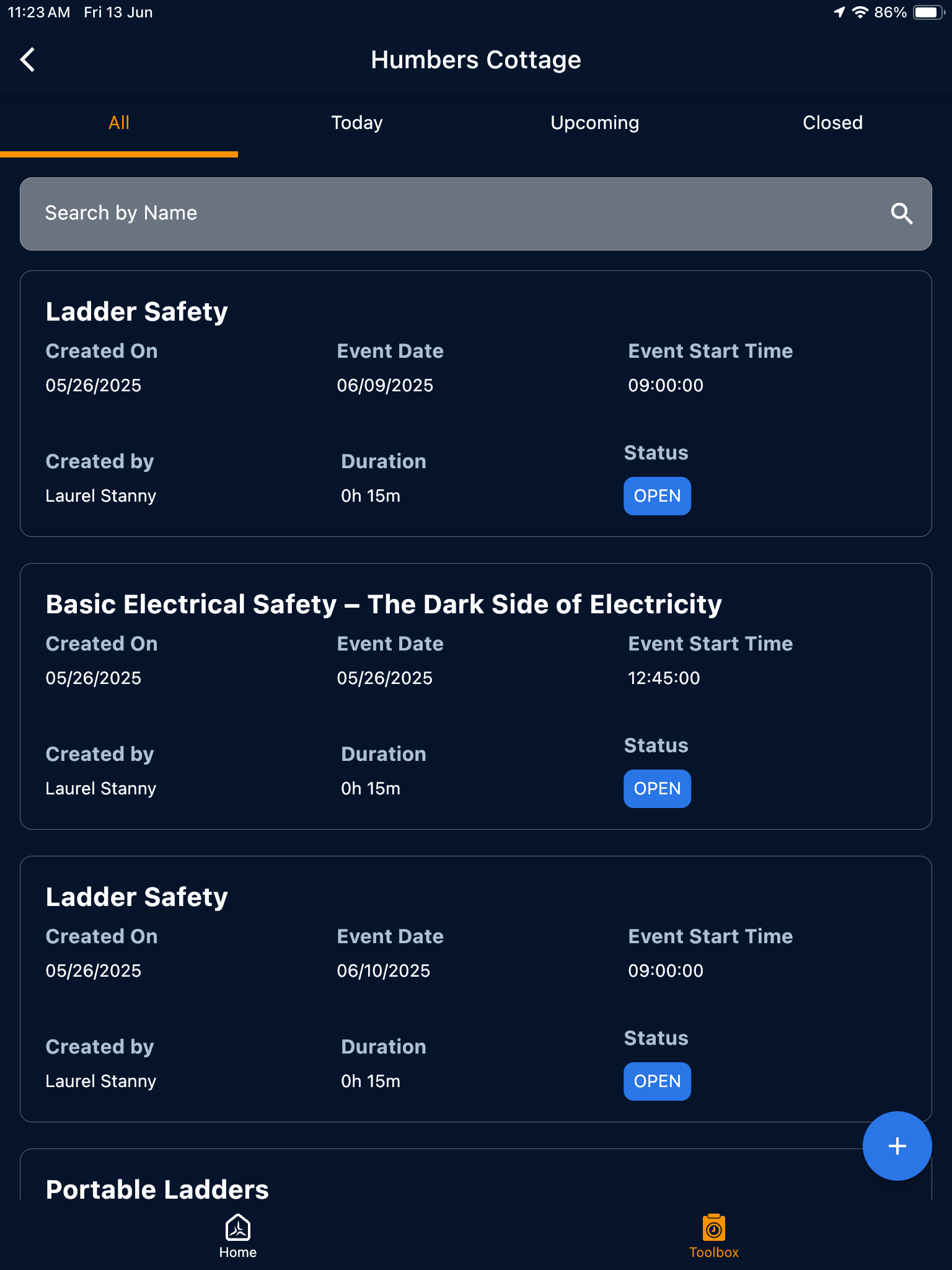
- Select the stages at the top to view the events as tiles
Stages:
All - Displays all toolbox talk events created for the project, regardless of their status.
Today - Shows events scheduled for the current date.
Upcoming - Lists events planned for future dates.
Closed - Includes events that have already been conducted and marked as complete or marked as cancelled.
Each card shows the at-a-glance view of the event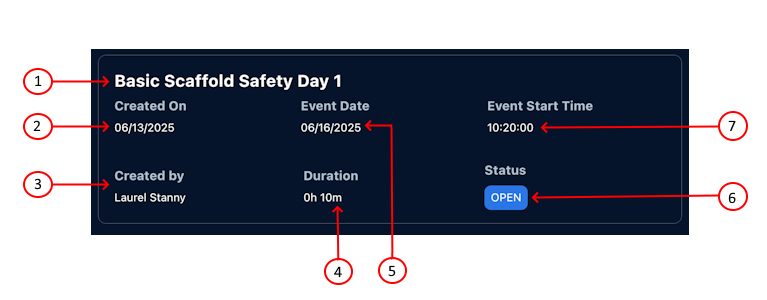
1 | - | Title of the Toolbox Talk event |
2 | - | The date the event was created |
3 | - | Name of the person who scheduled the event |
4 | - | The total duration of the event |
5 | - | The date the event is set to take place |
| 6 | - | The current status of the Toolbox talk event. The possible values are:
|
| 7 | - | The scheduled time of the event |
- Tap the tile to open the event details screen. See View event details and attendees for more details.
See the following page for more details:
Was this article helpful?
That’s Great!
Thank you for your feedback
Sorry! We couldn't be helpful
Thank you for your feedback
Feedback sent
We appreciate your effort and will try to fix the article