Keep your project team perfectly aligned by seamlessly communicating schedule updates to the affected subcontractors. Through Linarc’s dedicated preview screen, subcontractors can clearly visualize their newly proposed timelines before the master schedule is officially changed.
During this collaborative review window:
- Subcontractors can assess their updated tasks and either instantly accept the new dates or contact the General Contractor directly to negotiate revisions.
- The General Contractor retains ultimate authority and can choose to finalize and publish the schedule modifications at any time, regardless of subcontractor action.
Please note that if the GC takes no action before the review window closes, the reschedule proposal will automatically expire.
To notify contractors of Schedule changes
- Ensure that you are in the 'Schedule' module of the project management console. If not,
- Click the main menu at the top and select 'Schedule' under 'Scheduler'.
- Click the
 icon from the toolbar at the top to open the existing re-schedule screen and review the changes.
 - Click the
 button to alert the impacted subcontractors about the proposed schedule changes.
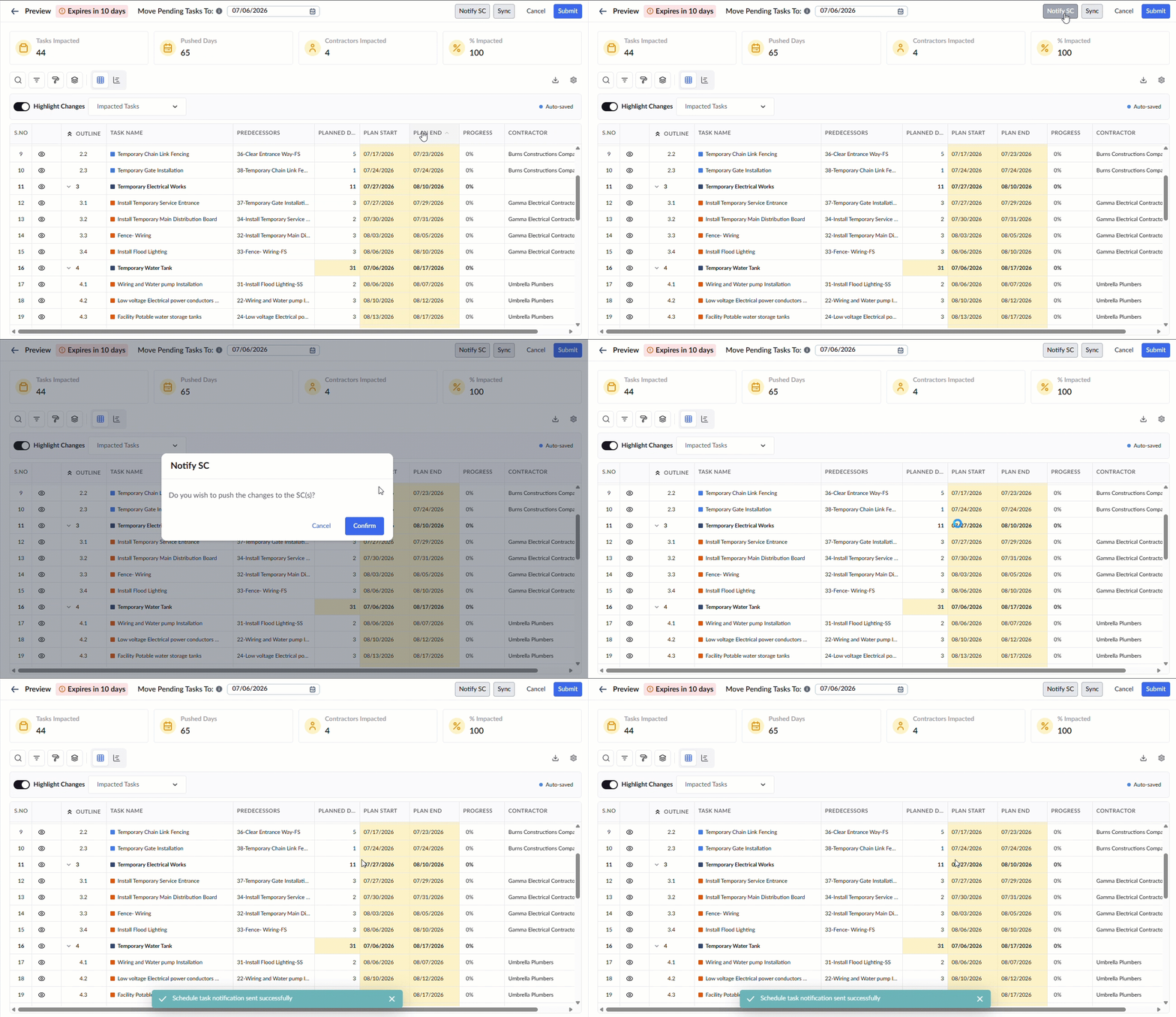
- Click 'Confirm' in the confirmation dialog box.
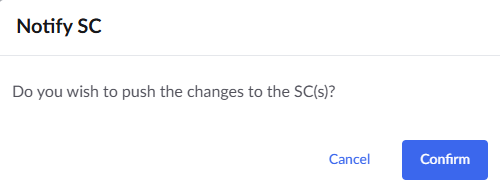
Once you have notified your subcontractors, monitor their responses throughout the 10-day review window.
- To Apply Changes: When you are ready to finalize the adjustments, click Submit at any point before the window closes to officially apply the new timelines to your master schedule.
- Automatic Expiration: If the 10-day period lapses without finalized consent and submission, the reschedule proposal will automatically expire and the draft will be discarded.
For more details on exactly how these updates take effect, see Implement the New Schedule.
Was this article helpful?
That’s Great!
Thank you for your feedback
Sorry! We couldn't be helpful
Thank you for your feedback
Feedback sent
We appreciate your effort and will try to fix the article