The 'Tags' feature in Feeds helps organize and categorize project-related images and videos. These include:
Photos and videos uploaded directly by project managers, site engineers, and field staff.
Marked-up images from Punch List items and other documentation workflows.
Bills and supporting images added through the T&M module.
Note:
You can see tags created by other contractor companies and use them to tag your own media. However, you can only add tags to media uploaded by your company. Media under a tag is visible to you only if you have access to it.
Tags help project managers quickly filter progress photos, locate supporting documentation, and share relevant visuals with project team members. This reduces the time spent searching through large volumes of media files while ensuring that project documentation is always clear, accessible, and well-organized. Tags also enable teams to:
Highlight and group related visuals by issue type, location, or activity.
Track task progress and maintain an organized record of site conditions.
Support collaboration and decision-making by making key visuals easier to share in meetings or reviews.
Maintain audit-ready documentation by categorizing photos and videos for compliance and handover.
To view media grouped by tags
Ensure you are in the 'Tags' screen of the Feeds module. If not,
- Open the project management console
- Click the main menu at the top-left
- Click 'Feeds' under 'Field' menu
- Click 'Tags' on the left
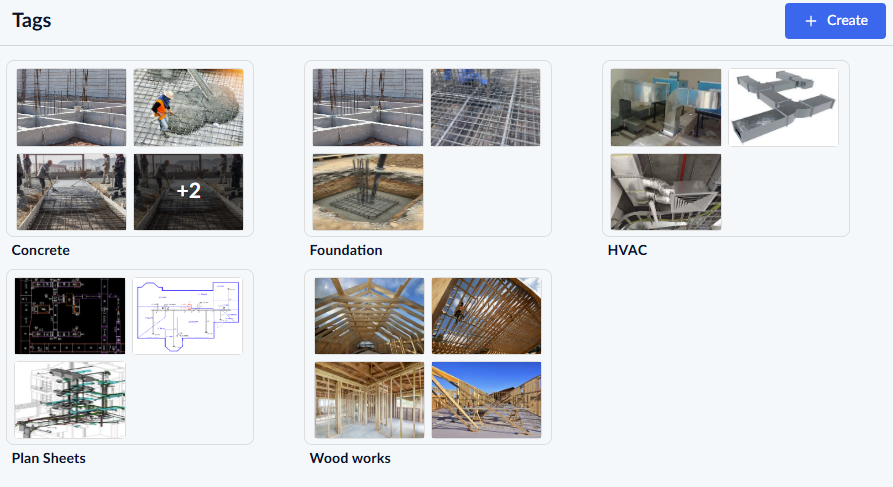
- Click the tag to view the media grouped in that label
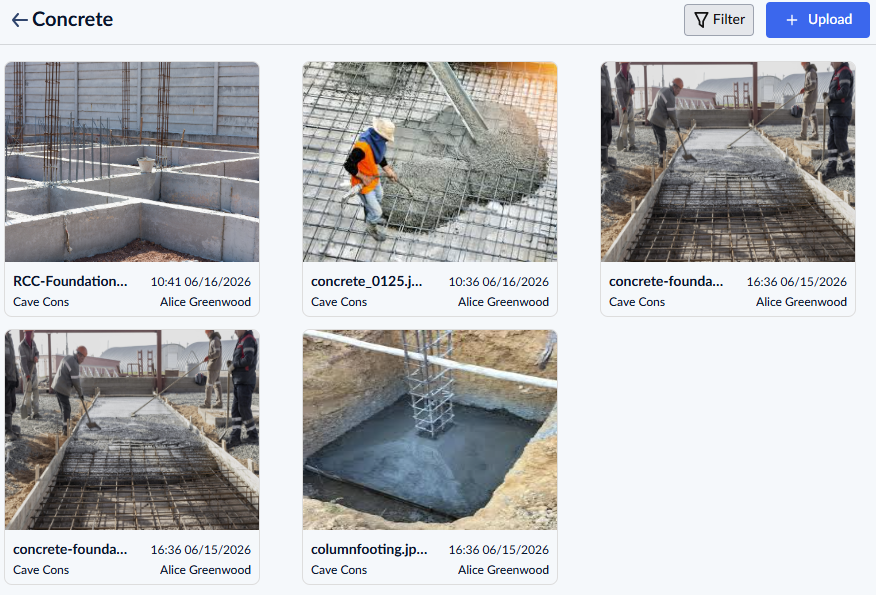
You can also upload a media file directly into a tag group. See Add and Manage Tags in Feeds for more details
Was this article helpful?
That’s Great!
Thank you for your feedback
Sorry! We couldn't be helpful
Thank you for your feedback
Feedback sent
We appreciate your effort and will try to fix the article